Skip to content
Quick installation instructions for AI Rating & Tagging in Darktable
Requirements
- GPU with 8GB VRAM – Runs on the CPU too, but significantly slower.
- Darktable: Version 5.2 or later.
- Local AI API: A running instance of LMStudio (with Qwen2.5-7b-VL) and Enabled HTTP API. Every OpenAI compatible API works (Ollama, Llama.cpp)
- Lua Libraries:
JSON (e.g. DKJSON) and socket.http/LTN12 (From Luasocket) – Not included in Darktable by default.
Install script
- Download:Darktable Plugin: AI Rating & Tagging v3.7
- Save: Copy the files to Darktable’s Lua directory:
- Windows:
%AppData%\DarkTable\LUA\AI/
- Linux:
~/.config/darktable/lua/ai/
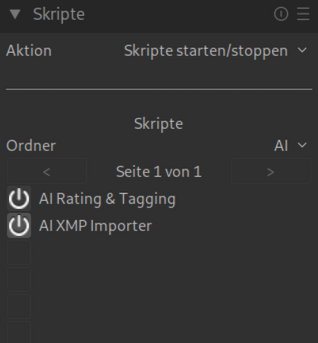
- Start Darktable: The script loads at first start not automatically, Activate it in the left panel (below) in the LightTable view.
- Start API: Make sure LMStudio or a compatible API is running (e.g. on
http://localhost:1234/v1/chat/completions).
Use (short)
- Select images in the LightTable.
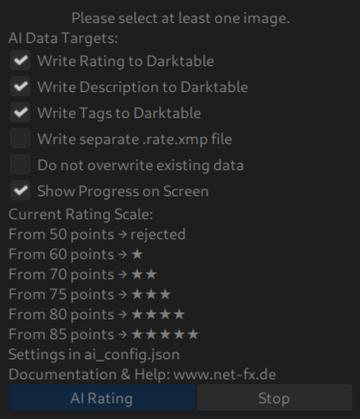
- Adjust settings in the script panel (e.g. enable overwriting of ratings/tags).
- Click on “AI Rating” – The script analyzes images and applies AI results.
- For problems: Check logs, test API or customize prompts.